How Automation Helps Small Businesses Save Time
A practical guide to removing repetitive tasks without overcomplicating the company.

Entrepreneur and Coach
A customer sends an inquiry to your business through WhatsApp.
A team member reads the message and manually copies the customer's details into a master spreadsheet. Later that day, someone prepares a quotation from scratch and emails it to the customer. Three days pass, and a salesperson has to remember to send a follow-up message. When the customer finally pays, an administrator updates the spreadsheet again, logs into a different accounting software to record the payment, and manually types out a confirmation email.
None of these tasks seems particularly difficult or time-consuming on its own. Taking two minutes to update a spreadsheet or five minutes to write a routine email is a normal part of doing business.
But together, across dozens or hundreds of customers, they consume an astonishing amount of time.
When a company's core operations rely entirely on manual repetition, growth creates a natural bottleneck. Earning more customers simply means creating more data entry, more manual follow-ups, and more room for human error. To handle the volume, the business either has to hire more administrative staff or watch its service quality decline.
This is where appropriate technology steps in. Good business automation is not primarily about replacing people or turning your company into a faceless corporate machine. It is about removing unnecessary administrative repetition so that your team can focus on the work that actually requires human judgment, relationships, creativity, and decision-making.
What Business Automation Actually Means
In the modern business environment, automation simply refers to using technology to perform a predictable task—or a sequence of tasks—with minimal manual intervention.
It is the digital equivalent of setting up a reliable internal process. You establish the rules, and the software executes them quietly in the background.
A business does not need an expensive, complex enterprise platform to benefit from this. Practical automation can be incredibly simple and highly effective. Common examples include:
- Sending an automatic, professionally branded acknowledgement immediately after a contact form is submitted.
- Generating automated booking confirmations and appointment reminders.
- Sending internal notifications to your sales team the moment a high-value lead registers.
- Creating a new customer profile in your database automatically when someone requests a quote.
- Synchronizing data across your marketing, sales, and accounting tools so you never have to enter the same information twice.
At teChia Digital Solutions, our philosophy for technology implementation is straightforward: Digitalize. Simplify. Grow. The goal is never to make your business look "techy" for the sake of appearances. The goal is to make the business easier to manage, easier to find, and easier to trust.
The Hidden Cost: Why Small Businesses Lose Time to Repetitive Work
Most businesses do not lose time to massive, catastrophic operational failures. They lose time to a concept known as time leakage.
Time leakage is the slow, steady drip of minutes lost to mundane administrative chores. It includes manual data entry, copying information between disconnected software, answering the exact same customer questions repeatedly, hunting for files, preparing routine weekly reports, and sending follow-up emails.
Because these tasks are small and distributed throughout the day, the true cost remains hidden. A business owner might not realize that a specific workflow takes ten minutes per customer until they suddenly have fifty customers in a week, and an entire workday vanishes into administration.
Every minute your team spends copying data from a chat app into a spreadsheet is a minute they are not spending closing a sale, improving your product, or building a relationship with a client. Automation plugs these leaks.
How to Find Automation Opportunities in Your Business
Not every process can or should be automated. To identify the best opportunities, you need to look for specific characteristics in your daily operations.
The Automation Equation:REPETITION + PREDICTABLE RULES + DIGITAL INPUT = POTENTIAL AUTOMATION OPPORTUNITY
A task is generally a strong candidate for automation if it:
- Happens frequently (daily or weekly).
- Follows clear, predictable rules that do not change.
- Requires moving data from one system to another.
- Involves sending routine, repetitive communications.
- Has a clear beginning and end.
- Does not require constant human judgment or empathy.
The Time Audit Framework
To find where your business is bleeding time, run a simple audit with your team. Map out your processes using this framework:
TASK → FREQUENCY → TIME PER TASK → MONTHLY TIME → AUTOMATION POTENTIAL
Let’s look at a practical calculation. Suppose generating a standard proposal document, saving it as a PDF, drafting the email, and sending it to the client takes 15 minutes.
- If you do this 4 times a day, that is 60 minutes a day.
- That equals 5 hours a week.
- Over a year, you are spending roughly 260 hours (more than six full work weeks) just formatting and sending proposals.
If you implement a system that generates and sends those proposals automatically based on a simple digital intake form, you instantly recover six weeks of productivity.
10 Practical Automation Examples for Small Businesses
To move from theory to practice, here are common areas where automation delivers immediate value to service providers, consultants, and retail businesses.
| Business Process | What Happens Manually | What Can Be Automated | What Should Remain Human |
|---|---|---|---|
| 1. Lead Capture | Copying a prospect's details from an email into a CRM or spreadsheet. | Web forms instantly create and tag a new customer record. | Reviewing the lead's specific needs and deciding the sales approach. |
| 2. Customer Acknowledgements | Leaving customers waiting hours for an email confirming receipt of their inquiry. | Instant, branded emails setting clear expectations on response times. | Drafting the actual, personalized response to their specific problem. |
| 3. Appointment Reminders | An assistant calling or texting every client to confirm their meeting for tomorrow. | System sends SMS/email reminders 24 hours and 1 hour before the meeting. | Conducting the consultation and building the relationship. |
| 4. Follow-up Sequences | Relying on memory or sticky notes to follow up on a pending quote. | Automated polite check-in emails triggered if a proposal goes unsigned for 3 days. | Answering the client's subsequent questions or negotiating terms. |
| 5. Quote Generation | Building pricing documents from scratch for standard service requests. | System calculates standard pricing from a form and generates a PDF instantly. | Handling complex, custom, or high-ticket bespoke proposals. |
| 6. Customer Onboarding | Typing out welcome emails and manually attaching welcome guides and contracts. | A trigger sends a complete welcome sequence when a deal is marked "Closed". | Hosting the strategic kickoff call or initial client meeting. |
| 7. Internal Notifications | Constantly refreshing a payment gateway to see if a client has paid. | Instant alerts in your team's chat app (e.g., Slack) when payment clears. | Initiating the project work once the payment alert is received. |
| 8. Data Synchronization | Exporting a CSV list of new contacts and manually importing it into an email tool. | Systems talk to each other; a new customer is instantly added to the newsletter. | Writing the high-quality content for the newsletter itself. |
| 9. Routine Reporting | Spending Friday afternoons tallying sales and leads in a calculator. | A centralized dashboard automatically compiles real-time metrics. | Analyzing the data to make strategic business decisions. |
| 10. Order Updates | Emailing clients individually to tell them their service milestone is reached. | Status changes in the project tool automatically email the client an update. | Providing qualitative feedback and presenting the final deliverables. |
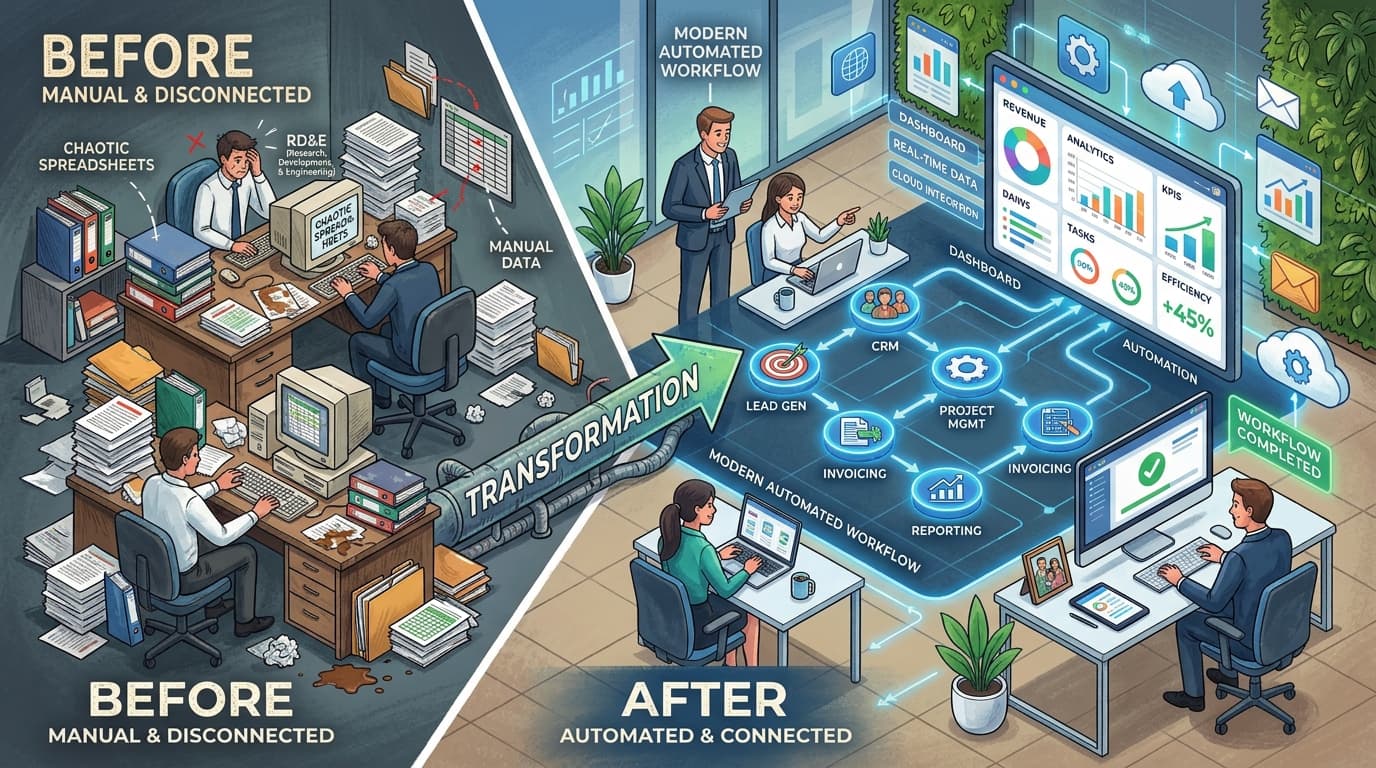
A Realistic Before & After Workflow
To visualize the impact, let's look at a hypothetical scenario of a local professional service business processing new inquiries.
BEFORE (The Manual Way)
A prospective client finds the business online and sends an inquiry. An employee eventually sees the email notification in the general inbox. The employee copies the client’s name, email, and service request into a Google Sheet. They manually type out a response, hit send, and try to remember to follow up next Tuesday. The employee manually updates the spreadsheet to say "Contacted."
AFTER (The Automated Way)
The prospective client fills out an inquiry on the company's digital home. The submitted information is automatically captured into a secure database. An instant, professional confirmation email is sent to the client. The employee receives a notification and a task is automatically added to their calendar to follow up in three days. The employee reviews the information, steps in to handle the human conversation, and updates the status with a single click once the deal is won.
The software does not replace the human touch; it ensures the human touch happens consistently, without administrative friction.
What Should NOT Be Automated
This is arguably the most important rule of digital transformation: Automate the repetition. Keep the judgment.
Technology should not act as a barrier between you and your customers. If you automate the wrong tasks, your business will feel robotic, frustrating, and impersonal.
You should preserve human involvement for tasks requiring:
- Human Empathy: Handling a customer complaint, navigating sensitive situations, or providing personalized support.
- Complex Judgment: Evaluating a highly custom project that doesn't fit standard pricing tiers.
- Negotiation: Finalizing terms on a high-value contract.
- Strategic Thinking: Designing a business strategy or charting a new operational direction.
- Relationship Building: Checking in on your best clients or networking with partners.
- Unusual Exceptions: Handling edge cases that fall outside normal business rules.
Automation vs. AI: Understanding the Difference
In today's digital landscape, the terms "automation" and "AI" are often used interchangeably, but they serve different operational purposes.
Traditional Automation is strictly rule-based. It operates on the logic of: "If X happens, do Y." If a form is submitted, send a confirmation. If a payment is received, update the status. Traditional automation does not think; it merely executes instructions with perfect consistency.
AI-Powered Automation introduces flexibility and interpretation. AI can handle tasks involving language, classification, summarization, and data extraction. For example:
- Summarizing a long email thread into a brief note for a salesperson.
- Classifying incoming support tickets (e.g., automatically tagging an email as "Billing Issue" vs. "Technical Support" based on the text).
- Extracting key data points from an unstructured document, like a scanned PDF invoice.
- Drafting a suggested routine response for an employee to review and approve.
Do not adopt AI simply because it is a trend. Start with traditional automation for predictable rules, and apply AI only when a task genuinely benefits from language interpretation and flexibility.
The Danger of Over-Automation
More technology is not always better. When businesses implement automation recklessly, they run into the trap of over-automation. This typically results in:
- A mess of disconnected tools: Paying for ten different software subscriptions that barely integrate with each other.
- Fragile workflows: Systems that are so complicated that if one password changes, the entire operational pipeline breaks.
- Poor customer experiences: Forcing clients into endless, looping automated chat menus when they just need to speak to a person.
- Hidden failure points: Leads quietly dropping out of the system because an automation broke and nobody noticed.
- Duplicate data: Messy records caused by systems overriding each other incorrectly.
The goal is not maximum automation. The goal is appropriate automation.
Start Small: An Implementation Framework
If you are ready to reclaim your time, do not attempt to overhaul your entire business in a single weekend. Follow a methodical approach:
- Identify one repetitive problem. Find the single process that causes the most friction or takes the most time.
- Document the current process. Map out exactly how the task is done manually today.
- Simplify first. Do not automate a broken process. Remove unnecessary steps before introducing software.
- Determine the human element. Decide precisely where a person needs to make a decision or provide a personal touch.
- Automate the simplest predictable part. Set up the basic trigger and action.
- Test it thoroughly. Run dummy data through the workflow to ensure it behaves as expected.
- Measure the result. Let it run for a few weeks and track the impact on your team's time.
- Improve it. Refine the automation based on real-world performance.
- Expand gradually. Only move on to the next process once the first one is running reliably.
How to Measure Results
Not every automation needs to result in an immediate, easily calculable revenue increase. Operational efficiency is a highly valuable metric on its own. Evaluate the success of your automated workflows by measuring:
- Time saved: Have administrative hours decreased?
- Manual steps removed: Did a 10-step process become a 2-step process?
- Response time: Are incoming leads receiving an initial response in minutes instead of hours?
- Error frequency: Have instances of misspelled names, lost documents, or forgotten calendar events gone down?
- Missed follow-ups: Are leads consistently nurtured without falling through the cracks?
- Staff workload: Is the team less stressed and better able to handle complex customer requests?
When Simple Automation Is No Longer Enough
Business operations naturally mature as a company grows. The typical evolution of digital operations looks like this:
Manual Process → Simplified Process → Basic Automation → Connected Workflows → Integrated Systems → Custom Dashboards
Basic automation (like using a tool to connect a web form to an email marketing platform) is fantastic for early-stage growth. However, as customer volume increases, your data requirements become more complex. Managing operations across five different software subscriptions can eventually create data silos and operational headaches.
At a certain point of growth, a business may eventually need a centralized Customer Relationship Management (CRM) tool, a unified internal database, API integrations, or a custom application.
If you are wondering whether your business has outgrown simple integrations and needs a unified operational platform, we highly recommend reading our guide: Website vs Business Management System: What Does Your Company Need?
The Practical Automation Checklist
Are you trying to decide where to start? Review a task your team performs regularly against this checklist. If you check multiple boxes, it is a prime candidate for automation.
- ☐ This task happens repeatedly on a daily or weekly basis.
- ☐ The process follows strict, predictable rules that rarely change.
- ☐ We spend time copying information manually from one tool to another.
- ☐ We type out and send similar messages repeatedly.
- ☐ We frequently forget to execute standard follow-ups.
- ☐ The manual process creates avoidable data-entry errors.
- ☐ The task itself does not require complex human judgment or empathy.
- ☐ Automating this process would directly improve the customer or employee experience.
- ☐ We can clearly describe the desired workflow from start to finish.
Conclusion: Digitalize, Simplify, Grow
Technology should reduce friction, not create complexity. Implementing software in your business is only valuable if it makes your daily operations smoother, more reliable, and more scalable.
You do not need to automate everything. You simply need to look at your current processes, identify where your business is wasting time on repetitive administration, and find the most straightforward, reliable way to remove that friction.
By automating the repetition, you empower your team to focus on the human interactions, strategic decisions, and creative problem-solving that actually drive growth.
Spending too much time on repetitive work?
You shouldn't have to manage your business through endless spreadsheets, scattered chat messages, and manual follow-ups. Whether you need to streamline basic tasks, build connected workflows, or develop a custom dashboard, we can help.
At teChia Digital Solutions, we help businesses identify where digital tools can genuinely simplify their operations.
Book a Free Digital ConsultationFrequently Asked Questions
What is business automation?Business automation is the use of technology to perform a predictable task or sequence of tasks with minimal manual intervention. It works on predefined rules, ensuring that when a specific event occurs, the system triggers the correct response automatically, freeing up human staff for higher-level work.
What can a small business automate?Small businesses can successfully automate lead capture from websites, customer acknowledgements, appointment reminders, initial follow-up sequences, quote generation, internal team notifications, and routine data synchronization between different software tools.
Is automation expensive?Automation does not have to be expensive. Many basic workflows can be built using standard software subscriptions or low-cost integration platforms. The cost scales with the complexity of your business. The return on investment is measured in the hours saved and the costly human errors reduced.
Can small businesses automate without hiring a developer?Yes. There are many user-friendly, "no-code" tools available that allow businesses to connect applications together. However, consulting with a digital growth partner ensures that you choose the right tools and design workflows that simplify your business rather than tangling it in unnecessary complexity.
What is the difference between automation and AI?Traditional automation is rule-based (if X happens, do Y perfectly every time). AI (Artificial Intelligence) is capable of handling flexible tasks that require understanding context, such as summarizing long emails, interpreting unstructured documents, or classifying customer support requests.
Can automation replace employees?The goal of practical business automation is not to replace human employees, but to support them. By automating repetitive administrative tasks like data entry and routine follow-ups, employees are freed up to focus on relationship-building, complex problem-solving, and tasks that require genuine human empathy and judgment.
When should a business consider custom automation or systems?A business should consider custom systems when off-the-shelf software and basic integrations begin to create data silos, when workflows become fragile and difficult to maintain, or when operational volume outgrows the capabilities of spreadsheets and basic triggers. At this stage, a centralized business management system or custom dashboard is usually required.